
SLGS4 Bingo Cards - Print Free or Customize
Print free SLGS4 bingo cards or customize, unlimited cards! Choose from 42,200+ designs or use the bingo card generator. Add numbers, words, photos, or any combination. Play using printable PDF, virtual bingo cards, and the virtual bingo caller, or go hybrid.
About: This bingo card is perfect for a high-energy Commander night with Magic: The Gathering players who love thinking outside the box. It’s packed with wild achievements, clever plays, and unusual game interactions that reward creativity, risk-taking, and big, memorable moments. Ideal for casual pods or special events, it guarantees a session full of laughs and epic stories.
How To: To get a printable PDF, click the Print button. You can adjust the number of cards and other printing options on the Print tab. Grid items and free space text can be changed on the Basic tab. Appearance can be completely personalized on the relevant tabs, or you can quickly search any preference on the 🔍 tab.
How to play SLGS4 Bingo Cards?
- Paper Players: Print PDF bingo cards and manually write on the cards.
- Paper Caller: Print PDF calling list & calling slips and manually select the slips.
- Virtual Caller: Click on the Play button above.
- Virtual Players: Click on the Play button above, and then click on the 🎫 button.
- Hybrid Mode: Choose any combination above. For example, caller can be either Offline or Virtual. And players can be Offline or Virtual or a mix of both.
Step-By-Step:
- Start by saving the SLGS4 PDF by clicking on the "Print" button above.
- Open the PDF and print it.
- For random drawing, you can print another copy of the call list, cut, fold and then pick them randomly at play time.
- Cut the bingo cards at the cut marks if there are greater than 1 bingo cards per page.
- Distribute one card per player. For marking, you can use pens. Crayons cost the least.
- Choose one person to be the caller. If you are playing in a small group, the caller may also play along with their own Bingo card.
- The caller initiates the play by randomly drawing an item from the call list and saying it to all players.
- The players scan their cards to see if they have the called word. If they do, they dab that word.
- The first player to complete a horizontal, vertical, or a diagonal line of crossed items announces "Bingo!" and wins the play.
- The caller confirms that the items marked form a correct line according to the Bingo card and call list.
- You can play for multiple patterns or a full card blackout for a longer play.
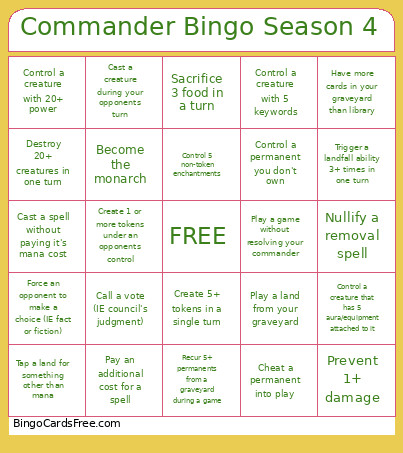 This SLGS4 Bingo Cards Game contains following Words or Phrases: Be the first player to deal combat damage, Cast 5+ Spells in a single turn, Control a creature with 20+ power, Have no cards in hand, Save an opponent from losing the game, Have more cards in your graveyard than library, Have 10+ Devotion to 1 color, Control 5 non-token creatures of the same type, Draw 5+ cards in 1 turn, Eliminate someone with commander dmg, Recur 5+ permanents from a graveyard during a game, Gain 10+ life in 1 turn, Destroy 20+ creatures in one turn, Nullify a counter spell, Nullify a removal spell, Eliminate a player with non-combat damage (lifeloss does count), Remove your own commander from play, Play a game without resolving your commander, Create 5+ tokens in a single turn, Sacrifice 5+ permanents in a single turn, Discard 3+ cards in a single turn, Call a vote (IE council's judgment), Flip a coin, Sacrifice 3 food in a turn, Sacrifice 3 clues in a turn, Tap a land for something other than mana, Control 5 non-token artifacts at one time, Cast a non-Commander spell with the same name 2 times in one game, Give control of a non-token permanent to an opponent, Copy a spell, Control 5 permanents you don't own, Control a creature that has 5 aura/equipment attached to it, Control a creature with 5 keywords, Force an opponent to draw a card, Create 1 or more tokens under an opponents control, Deal combat damage 5 times with creatures that just entered, Deal combat damage to each opponent in the same turn, Cheat a permanent into play, Lose 10 life to your own effects in one game, Control 3 anthem effects, Get the highest result on a die roll, Cause 2+ creatures to fight, Transform a card, Control 5 non-token enchantments, Get the City's blessing, Become the monarch, "Ult" a planeswalker, Control a permanent you don't own, Prevent 1+ damage, Remove an opponent's commander, Damage a player with an unblockable creature, Force an opponent to make a choice (IE fact or fiction), Create a copy of another creature, Counter 2 or more spells in a single game, Cast a creature during your opponents turn, Kill a creature or planeswalker with a crewed vehicle, Phase out 1 or more permanents, Trigger a landfall ability 3+ times in one turn, Play a land from your graveyard, Have a permanent enter the battlefield from exile, Deal 3+ non-combat damage to an opponent in a single turn (life loss does not count), Play a game without searching your library (lands count), Cast a spell without paying it's mana cost, Pay an additional cost for a spell, Cast a spell using an alternative casting cost.