Print free Eweek bingo cards or customize,
limitless prints! Select from 42,200+ designs or use the bingo card generator.
Add numbers, words, pictures, or mix them all.
Play using printable PDF, online bingo cards,
and the online bingo caller, or mix physical and digital.
About: This bingo card is packed with fun personal quirks, memorable life experiences, and a dash of sports enthusiasm. Perfect for team-building sessions, icebreakers, or social mixers, it invites players to share unique hobbies, favorite foods, and surprising facts. Expect plenty of laughs and “wow” moments as everyone discovers new sides of their colleagues or friends.
How To: To download a PDF to print, click the Print button.
You can adjust the card count and other
print settings on the Print tab.
Grid items and free space content can be added on the Basic tab.
Appearance can be exactly personalized on the
relevant tabs, or you can quickly locate any option
using the 🔍 tab.
How to play Eweek Bingo Cards?
Online Caller: Click on the Play button above.
Online Players: Click on the Play button above, and then click on the 🎫 button.
Paper Caller: Print PDF calling list & calling slips and physically pick the slips.
Paper Players: Print PDF bingo cards and physically write on the cards.
Combo Mode: Choose any combination above.
For instance, caller can be either Offline or Online.
And players can be Offline or Online or a combo of both.
Step-By-Step:
Start by downloading the Eweek PDF by clicking on the "Print" button above.
Open the PDF and print it.
For random drawing, you can print another copy of the call list, cut, fold and then pull them randomly at play time.
Cut the bingo cards at the cut lines if there are more than 1 bingo cards per page.
Give one card to each player. For marking, you can use markers. Crayons are the cheapest.
Choose one person to be the caller. If you are playing in a small group, the caller can also play along with their own Bingo card.
The caller opens the game by randomly picking an item from the call list and announcing it to all players.
The players scan their cards to see if they have the announced word. If they do, they cross off that word.
The first player to complete a horizontal, vertical, or a diagonal line of crossed items announces "Bingo!" and wins the game.
The caller confirms that the items marked form a proper line according to the Bingo card and call list.
You can play for multiple patterns or a full card blackout for a longer game.
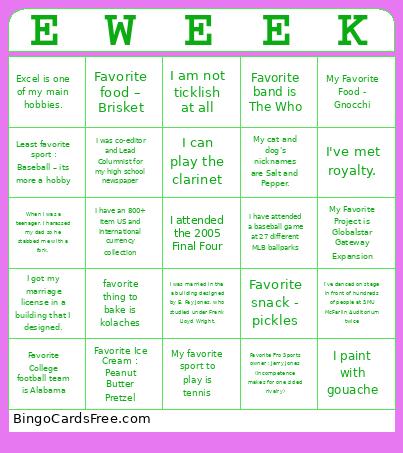
This Eweek Bingo Cards Game contains following Words or Phrases: Least favorite sport : Baseball – its more a hobby, When I was a teenager, I harassed my dad so he stabbed me with a fork., My Favorite Project is Globalstar Gateway Expansion, My favorite sport to play is tennis, Excel is one of my main hobbies., I can play the clarinet, My cat and dog's nicknames are Salt and Pepper., Favorite band is The Who, I've danced on stage in front of hundreds of people at SMU McFarlin Auditorium twice, I got my marriage license in a building that I designed., I am not ticklish at all, I paint with gouache, I've met royalty., Favorite Ice Cream : Peanut Butter Pretzel, I have attended a baseball game at 27 different MLB ballparks, Favorite food – Brisket, Favorite Pro Sports owner : Jerry Jones (incompetence makes for one sided rivalry), favorite thing to bake is kolaches, I was co-editor and Lead Columnist for my high school newspaper, I was married in the a building designed by E. Fay Jones, who studied under Frank Lloyd Wright., My Favorite Food - Gnocchi, Favorite snack - pickles, I attended the 2005 Final Four, I have an 800+ item US and international currency collection, Favorite College football team is Alabama.

 This Eweek Bingo Cards Game contains following Words or Phrases: Least favorite sport : Baseball – its more a hobby, When I was a teenager, I harassed my dad so he stabbed me with a fork., My Favorite Project is Globalstar Gateway Expansion, My favorite sport to play is tennis, Excel is one of my main hobbies., I can play the clarinet, My cat and dog's nicknames are Salt and Pepper., Favorite band is The Who, I've danced on stage in front of hundreds of people at SMU McFarlin Auditorium twice, I got my marriage license in a building that I designed., I am not ticklish at all, I paint with gouache, I've met royalty., Favorite Ice Cream : Peanut Butter Pretzel, I have attended a baseball game at 27 different MLB ballparks, Favorite food – Brisket, Favorite Pro Sports owner : Jerry Jones (incompetence makes for one sided rivalry), favorite thing to bake is kolaches, I was co-editor and Lead Columnist for my high school newspaper, I was married in the a building designed by E. Fay Jones, who studied under Frank Lloyd Wright., My Favorite Food - Gnocchi, Favorite snack - pickles, I attended the 2005 Final Four, I have an 800+ item US and international currency collection, Favorite College football team is Alabama.