March 1st Family BINGO 2 Cards - Print Free or Customize
Print free March 1st Family BINGO 2 cards or alter them,
unlimited prints! Select from 41,500+ designs or use the bingo card generator.
Add numbers, phrases, images, or any combination.
Play using printable PDF, digital bingo cards,
and the digital bingo caller, or go hybrid.
About: Get ready for some classic family chaos with this bingo card centered around the lovable antics and familiar banter of a lively household gathering. Perfect for family reunions or holiday get-togethers, the card highlights inside jokes, affectionate teasing, adorable kid moments, and those unforgettable stories that everyone waits to hear. It’s sure to spark laughter and playful competition as you celebrate your one-of-a-kind family dynamic.
How To: To save a PDF to print, click the Print button.
You can adjust the card count and other
printing preferences on the Print tab.
Grid items and free space content can be added on the Basic tab.
Appearance can be fully customized on the
corresponding tabs, or you can quickly locate any option
using the 🔍 tab.
How to play March 1st Family BINGO 2 Cards?
Virtual Caller: Click on the Play button above.
Paper Caller: Print PDF calling list & calling slips and manually pick the slips.
Virtual Players: Click on the Play button above, and then click on the 🎫 button.
Paper Players: Print PDF bingo cards and manually scratch the cards.
Mixed Play: Select any combination above.
For example, caller can be either Paper or Virtual.
And players can be Paper or Virtual or a combination of both.
Step-By-Step:
Start by downloading the March 1st Family BINGO 2 PDF by clicking on the "Print" button above.
Open the PDF and print a hard copy.
For random calling, you can print another copy of the call list, cut, fold and then pick them randomly at play time.
Cut the bingo cards at the cut lines if there are more than 1 bingo cards per page.
Distribute one card per player. For marking, you can use crayons. Crayons are the cheapest.
Select one person to be the caller. If you are playing in a small group, the caller may also play along with their own Bingo card.
The caller starts the game by randomly pulling an item from the call list and announcing it to everyone.
The players scan their cards to see if they have the announced word. If they do, they dab that word.
The first player to finish a horizontal, vertical, or a diagonal line of marked items yells "Bingo!" and wins the play.
The caller verifies that the items marked form a proper line as per the Bingo card and call list.
You can play for different patterns or a full card blackout for a longer play.
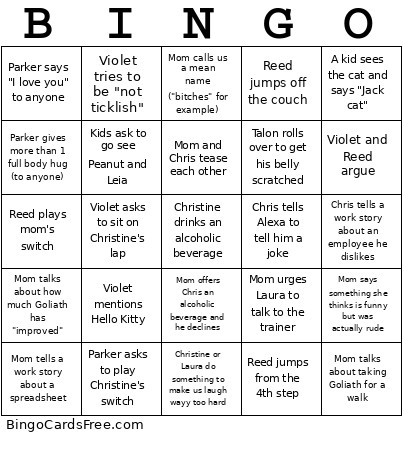
This March 1st Family BINGO 2 Cards Game contains following Words or Phrases: A kid sees the cat and says "Jack cat", Chris tells a work story about an employee he dislikes, Chris tells Alexa to tell him a joke, Christine or Laura do something to make us laugh wayy too hard, Kids ask to go see Peanut and Leia, Mom and Chris tease each other, Mom calls us a mean name ("bitches" for example), Mom offers Chris an alcoholic beverage and he declines, Mom says something she thinks is funny but was actually rude, Mom talks about how much Goliath has "improved", Mom talks about taking Goliath for a walk, Mom tells a work story about a spreadsheet, Mom urges Laura to talk to the trainer, Parker asks to play Christine's switch, Parker gives more than 1 full body hug (to anyone), Parker says "I love you" to anyone, Reed jumps from the 4th step, Reed jumps off the couch, Reed plays mom's switch, Talon rolls over to get his belly scratched, Violet and Reed argue, Violet asks to sit on Christine's lap, Violet mentions Hello Kitty, Violet tries to be "not ticklish".

 This March 1st Family BINGO 2 Cards Game contains following Words or Phrases: A kid sees the cat and says "Jack cat", Chris tells a work story about an employee he dislikes, Chris tells Alexa to tell him a joke, Christine or Laura do something to make us laugh wayy too hard, Kids ask to go see Peanut and Leia, Mom and Chris tease each other, Mom calls us a mean name ("bitches" for example), Mom offers Chris an alcoholic beverage and he declines, Mom says something she thinks is funny but was actually rude, Mom talks about how much Goliath has "improved", Mom talks about taking Goliath for a walk, Mom tells a work story about a spreadsheet, Mom urges Laura to talk to the trainer, Parker asks to play Christine's switch, Parker gives more than 1 full body hug (to anyone), Parker says "I love you" to anyone, Reed jumps from the 4th step, Reed jumps off the couch, Reed plays mom's switch, Talon rolls over to get his belly scratched, Violet and Reed argue, Violet asks to sit on Christine's lap, Violet mentions Hello Kitty, Violet tries to be "not ticklish".