
Secrets Cards V2 Bingo - Print Free or Customize
Print free Secrets cards V2 bingo or personalize, limitless cards! Select from 42,200+ templates or use our bingo card generator. Add numbers, words, images, or all of them. Play using printed PDF, digital bingo cards, and our digital bingo caller, or mix physical and digital.
About: This bingo card is perfect for fans of chaotic, character-driven tabletop RPG sessions, especially those who love inside jokes and memorable party dynamics. With its blend of running gags, critical roleplay moments, and unpredictable twists, it’s an ideal addition to your next campaign night or virtual game hangout with friends who get the references.
How To: To download a PDF to print, click the Print button. You can change the card quantity and other print settings on the Print tab. Grid items and free space content can be edited on the Basic tab. Appearance can be totally customized on the relevant tabs, or you can easily search any preference using the 🔍 tab.
How to play Secrets Cards V2 Bingo?
- Paper Players: Print PDF bingo cards and manually cross off the cards.
- Paper Caller: Print PDF calling list & calling slips and manually choose the slips.
- Digital Caller: Click on the Play button above.
- Digital Players: Click on the Play button above, and then click on the 🎫 button.
- Mixed Play: Pick any combination above. For instance, caller can be either Offline or Digital. And players can be Offline or Digital or a combo of both.
Step-By-Step:
- Start by getting the Secrets Cards V2 PDF by clicking on the "Print" button above.
- Open the PDF and print it.
- For random drawing, you can print another copy of the call list, cut, fold and then pick them randomly at play time.
- Cut the bingo cards at the cut lines if there are more than 1 bingo cards per page.
- Distribute one card per player. For marking, you can use pens. Crayons are the cheapest.
- Pick one person to be the caller. If you are playing in a small group, the caller may also play along with their own Bingo card.
- The caller begins the play by randomly drawing an item from the call list and announcing it to everyone.
- The players look at their cards to see if they have the announced word. If they do, they dab that word.
- The first player to complete a horizontal, vertical, or a diagonal line of crossed items yells "Bingo!" and wins the play.
- The caller verifies that the items marked form a correct line as per the Bingo card and call list.
- You can play for varied patterns or a full card blackout for a longer play.
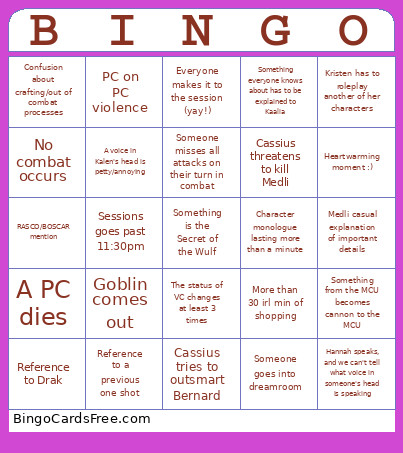 This Secrets Cards V2 Bingo Game contains following Words or Phrases: Sexual innuendo, A pet does something it probably shouldn't, An important NPC is introduced but is not named, Medli performs, Cassius tries to outsmart Bernard, Something in a secret voice chat gets a verbal response from Kristen, Michael does the recap, STRAY DOGS, A voice in Kalen's head is petty/annoying, Total party defeat/retreat from combat, Kristen has to roleplay another of her characters, An enemy rolls on the crit table, A PC rolls on the crit table, Medli rolls on the crit table twice in as many rounds, Roxie flirts with a PC, Someone eats a magical candy, Someone goes into dreamroom, Reference to a previous one shot, Reference to Drak, Cassius threatens to kill Medli, PC on PC violence, Something from the MCU becomes cannon to the MCU, People with cameras on crack up for reasons unrelated to the game, Chaos energy BS, Goblin comes out, Ander has a spooky/horrific flashback, Sessions goes past 11:30pm, The party teleports across the world, More than 5 Kyra Quotes, 4 or less Kyra Quotes, Confusion about crafting/out of combat processes, Number joke related to the Cult, "DM I have darkvision", A summoned creature/pet becomes relevant to the plot, Someone opens a stream game during session, More than 30 irl min of shopping, Medli casual explanation of important details, Someone misses all attacks on their turn in combat, Someone's sexuality is commented on, RASCO/BOSCAR mention, The status of VC changes at least 3 times, Irl sibling sighting, Someone goes down in combat, A PC dies, New homebrew introduced, Combat lasts 1 round or less, Someone killsteals, Something everyone knows about has to be explained to Kaalia, One of Cassius' siblings finds us, No combat occurs, Character monologue lasting more than a minute, Heartwarming moment :), Hannah speaks, and we can't tell what voice in someone's head is speaking, Everyone makes it to the session (yay!).