
Trouble Brewing Spectator Bingo Cards - Print Free or Customize
Print free Trouble Brewing Spectator bingo cards or modify, limitless cards! Select from 42,200+ templates or use the bingo card generator. Add numbers, phrases, photos, or any combination. Play using PDF printouts, digital bingo cards, and the digital bingo caller, or combine all formats.
About: This bingo card is made for fans of Blood on the Clocktower, filled with those wild, unexpected moments and classic bluffs that make the game so thrilling. Whether you’re playing at a convention, a regular game night, or watching a stream, this card celebrates both evil genius and townsfolk resilience with a playful spirit. Perfect for groups who love the chaos and cleverness of social deduction games!
How To: To save a printable PDF, click the Print button. You can alter the card count and other printing options on the Print tab. Grid items and free space content can be added on the Basic tab. Appearance can be fully customized on the relevant tabs, or you can easily locate any setting using the 🔍 tab.
How to play Trouble Brewing Spectator Bingo Cards?
- Online Players: Click on the Play button above, and then click on the 🎫 button.
- Paper Caller: Print PDF calling list & calling slips and physically pick the slips.
- Online Caller: Click on the Play button above.
- Paper Players: Print PDF bingo cards and physically cross off the cards.
- Combo Mode: Choose any combination above. For instance, caller can be either Paper or Online. And players can be Paper or Online or a combination of both.
Step-By-Step:
- Start by saving the Trouble Brewing Spectator Bingo PDF by clicking on the "Print" button above.
- Open the PDF and print it.
- For random drawing, you can print another copy of the call list, cut, fold and then draw them randomly at play time.
- Cut the bingo cards at the cut marks if there are more than 1 bingo cards per page.
- Give one card to each player. For marking, you can use pencils. Crayons cost the least.
- Choose one person to be the caller. If you are playing in a small group, the caller may as well play along with their own Bingo card.
- The caller starts the play by randomly pulling an item from the call list and announcing it to everyone.
- The players look at their cards to see if they have the announced word. If they do, they cross off that word.
- The first player to finish a horizontal, vertical, or a diagonal line of marked items announces "Bingo!" and wins the game.
- The caller verifies that the items marked form a correct line as per the Bingo card and call list.
- You can play for multiple patterns or a full card blackout for an extended game.
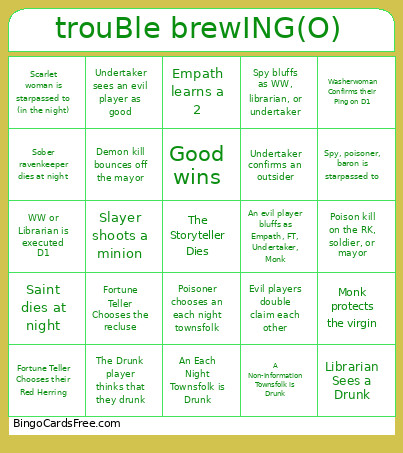 This Trouble Brewing Spectator Bingo Cards Game contains following Words or Phrases: 2 evils alive at final 3, 2 townsfolk roleswap, 3 evils alive at final 3, A Non-Information Townsfolk is Drunk, A vote ties, A You-Start-Knowing Role is Drunk, A You-Start-Knowing Role is Poisoned N1, An Each Night Townsfolk is Drunk, An evil player bluffs as an outsider, An evil player bluffs as Empath, FT, Undertaker, Monk, An evil player bluffs as Soldier, Ravenkeeper, Slayer, Mayor, An evil player bluffs as You-Start-Knowing, Baron double claims an in play role, Butler chooses an evil player, Butler chooses the virgin, Chef or Investigator is executed D1, Chef Receives a true number (with no misregistration), Demon kill bounces off the mayor, Demon kills the mayor, Drunk/Poisoned Ravenkeeper dies at night, Empath learns a 0, Empath learns a 1, Empath learns a 2, Evil player executed day 1, Evil Player nominates the virgin, Evil players double claim each other, Evil wins, Fortune Teller Chooses the Demon, Fortune Teller Chooses the recluse, Fortune Teller Chooses their Neighbors N1, Fortune Teller Chooses their Red Herring, Fortune Teller Gets a No on a Minion, FT, Empath, or Undertaker dies N2, Good wins, Imp is nominated on D1, Imp is on the block an lifted, Imp nominates a minion, Imp sinks a kill, Investigator Nominates one of their Pings, Librarian Confirms their Ping on D1, Librarian Sees a Drunk, Mayor alive at final 3, Minion double claims an in play role, Minion nominates another minion, Minion nominates the imp, Monk protects an outsider, Monk protects the demon, Monk protects the player targetted by the demon, Monk protects the virgin, Outsider nominates the virgin, Poison kill on the RK, soldier, or mayor, Poisoner chooses an each night townsfolk, Ravenkeeper chooses an evil player, Ravenkeeper is executed with less than 5 or less players alive, Recluse Misregisters to the Investigator, RK/Soldier complains about being the frame, Saint alive at final 3, Saint bluffs as FT/Empath/Monk/Undertaker, Saint dies at night, Saint hard claims publicly on day 1, Scarlet woman becomes the demon after the Imp is executed, Scarlet woman is starpassed to (in the night), Slayer dies before using their ability, Slayer shoots a minion, Slayer shoots after being nominated, Slayer shoots the RK/Soldier/Mayor/Saint, Sober ravenkeeper dies at night, Soldier is executed with 5 or less players left, Someone dead votes with 5 or more players alive, Someone Dies to the Virgin, Someone volunteers to be executed, Spy bluffs as WW, librarian, or undertaker, Spy gives the grim to their demon D1, Spy Misregisters to the Washerwoman or Librarian, Spy, poisoner, baron is starpassed to, The Drunk player thinks that they drunk, Undertaker confirms a townsfolk, Undertaker confirms an outsider, Undertaker sees an evil player as good, Undertaker sees an evil player as their role, Washerwoman Confirms their Ping on D1, Washerwoman Role Swaps with their Ping, WW or Librarian is executed D1.